


























The revenue systemBrings buyers to you.
Add-onsSales and RevOps, on top of the system.
Built onceThe foundation every process runs on.
Anthony Hsiao, CEO, Matterway Customer story The squeezing the lemon theme really struck gold. Anthony HsiaoCEO, Matterway Instant price From $1,999 a month Pick the processes you need and see your monthly price before you talk to anyone. See your instant price
Talk to sales All processes and prices

AI services homepage templateFree8 sections

Structure of Flight:emerald radiograph AI services homepage template for Astro, HubSpot and WordPress

An AI services homepage that compares fast AI to flight and shows the bones that make it possible. A huge mint radiograph of an outstretched wing sweeps across the emerald hero, and a wing joint and a single feather return as X-ray studies further down the page.

Sections
8, 2 with their own script
Editable fields
92 in HubSpot and WordPress
Typefaces
Roboto Condensed, Inter
Image files
3
Downloads
Astro 376 KB, HubSpot 1.5 MB, WordPress 1.4 MB
Look
Dark background
Framer
Coming soon

Screenshots of the live demo at 1440 and 390 pixels. The content is placeholder: Aerling, a fictional company that builds and runs AI systems for other businesses.

Download Structure of Flight

Free: a short form (first name and work email) once, then every zip downloads straight away. Free to use and adapt for personal and commercial sites. Each zip holds one folder, structure-of-flight, with a README; the install steps below are condensed from it.

Astro

structure-of-flight-astro.zip · 376 KB

Download zip

An Astro project: one component per section, design tokens in global.css, images in public/assets.

Needs Node 22.12 or newer.

  1. Unzip structure-of-flight-astro.zip; it holds one folder, structure-of-flight.
  2. In that folder run npm install (Node 22.12 or newer).
  3. Run npm run dev and open http://localhost:4321.
  4. Edit the copy in src/components, the colors and type in src/styles/global.css, and the images in public/assets.
  5. Run npm run build; the static site is written to dist/.
More from the Astro README

What is where

  • src/pages/index.astro: the page head and the sections in order.
  • src/components: one file per section (8 in all), each with its markup, styles and script.
  • src/styles/global.css: design tokens (colors, type, spacing) and base styles.
  • public/assets: the images.
  • CLAUDE.md and AGENTS.md: notes that tell Claude Code or Codex how the project is organized.

Make it yours

  • Repeated items (cards, steps, questions) share the same markup: copy one to add another.
  • Remove a section by deleting its tag and its import in src/pages/index.astro.
  • Reuse a section elsewhere by copying its component file and global.css; a section depends on nothing else.
  • Set the title, meta description and JSON-LD block in src/pages/index.astro before publishing.
  • The header links scroll to sections of this page; "Bring us the mess" and the other calls to action scroll to the contact form.
  • The contact form validates, shows a thank-you message and sends nothing. Replace the submit handler in the script of the contact section with a request to your form service (its action is /contact).

HubSpot

structure-of-flight-hubspot.zip · 1.5 MB

Download zip

A HubSpot CMS theme: one module per section, each with its own fields, plus Home and Page templates.

Needs a free HubSpot account and Node.js 20 or newer for the HubSpot CLI.

  1. Install the HubSpot CLI: npm install -g @hubspot/cli (Node.js 20 or newer).
  2. Run hs account auth and paste a personal access key with Design Manager ticked.
  3. Unzip structure-of-flight-hubspot.zip, then from the folder that holds structure-of-flight run hs cms upload structure-of-flight structure-of-flight.
  4. In HubSpot go to Content > Website Pages > Create > Website page, click the theme name under the search box, find Structure of Flight and click Set as active theme.
  5. Choose the template Structure of Flight - Home.
More from the HubSpot README

Change the content

  • Each of the 8 sections is a module with its own fields, 92 in all. Click a section in the page editor and its fields open on the left, grouped by item.
  • A field left empty removes its element; an empty image field shows the template's own image.
  • Sections are rows: drag, clone or delete them, and add one back from the theme's modules.
  • Header and footer are global content: what you change there changes on every page.
  • The template Structure of Flight - Page has the same header and footer and an empty area for other modules.

What the fields do not cover

  • More items than the template has (a fourth plan, an extra question) needs an edit in modules/<name>.module/module.html and fields.json.
  • Icons and drawings are inline SVG in module.html; colors, fonts and spacing are variables at the top of css/styles.css.
  • No blog templates and no 404, password or search pages of its own: HubSpot uses its defaults.
  • HubSpot takes no WebP in a theme, so the images are PNG and JPEG. Fonts load from Google Fonts.

How it was checked

  • Uploaded with the HubSpot CLI and rendered through HubSpot's theme preview in Chromium: every file uploads without an error and the homepage matches the static version pixel for pixel at 1440px and 390px.
  • Not checked: the page editor itself, publishing a page, and browsers other than Chromium.

WordPress

structure-of-flight-wordpress.zip · 1.4 MB

Download zip

A WordPress block theme: one block per section with its fields in the editor, plus page, post, blog and 404 templates.

Needs WordPress 6.6 or newer and PHP 7.4 or newer.

  1. In WordPress go to Appearance > Themes > Add New Theme > Upload Theme.
  2. Choose structure-of-flight-wordpress.zip, then Install Now and Activate.
  3. Open the site: the homepage shows the template, whatever Settings > Reading says.
  4. Edit each section in Appearance > Editor > Templates > Front Page, in the Block tab on the right, then Save.
More from the WordPress README

Change the content

  • Each of the 8 sections is a block with its own fields, 92 in all, listed in the Block tab and grouped by item. The page updates as you type.
  • Links: signup or /signup is a page of your site, #pricing jumps to a section, and full addresses, mailto: and tel: work as written.
  • A field left empty removes its element; clear every field of a card and the card goes.
  • Move sections with the arrows in the toolbar, or add one back from the block inserter under "Structure of Flight". The same blocks work on any page.

What the fields do not cover

  • More items than the template has needs an edit in sections/<name>.php (markup) and inc/sections.php (fields).
  • Icons are inline SVG; colors, fonts and spacing are variables at the top of css/styles.css.
  • The theme prints the page title; leave the meta description and structured data to an SEO plugin.
  • Functions and blocks are prefixed structure_of_flight_ and structure-of-flight/.

How it was checked

  • Installed from the zip in WordPress Playground on WordPress 7.1.3 with PHP 8.3 and on WordPress 6.6.10 with PHP 7.4: no PHP warnings, and the homepage matches the static version pixel for pixel at 1440px and 390px.
  • Not checked: a real hosting account, browsers other than Chromium, other plugins and multisite.

Framer

Framer version coming soon. It will be listed here next to the other three downloads.

The 8 sections of Structure of Flight

In page order. In HubSpot each one is a module and in WordPress a block, 92 fields in all; in Astro each is one component file. Remove, reorder or reuse any of them on its own.

  1. Header

    Aerling wordmark, three section links and an outlined "Bring us the mess" button above a thin rule

    11 fields · has its own script
  2. Hero

    Intro and vermilion button at upper left, the X-ray wing, and "Speed has a structure." at lower right

    7 fields
  3. Connection

    "Keep the speed. Strengthen the operation." with the wing joint, four steps and AI vs your operation

    12 fields
  4. Standard

    "Pass all six. Then call it agentic." with the six conditions in three columns on pale mint

    21 fields
  5. Real-world work

    Four ruled rows pairing a business area with a short outcome, joined by vermilion arrows

    9 fields
  6. Process and groups

    "One process. Built to keep moving." with the feather, three steps and three placeholder groups

    16 fields
  7. CTA

    "The next connection is yours." beside a form with first name, last name and work email

    11 fields · has its own script
  8. Footer

    Large Aerling wordmark linking to the top, the tagline and the placeholder domain

    5 fields

Design notes

The first screen is dark emerald with a pale mint X-ray of a bird wing fanning from the lower left toward the upper right. The intro and a vermilion "Bring us the mess" button sit in the open space at upper left, and the headline "Speed has a structure." is set very large in light Roboto Condensed at the lower right.

The connection section pairs a two-line heading with an X-ray of a wing joint, a four-step Understand, Coordinate, Deliver, Recover line with vermilion arrows, and two short columns for AI and your operation. The six conditions sit on a full-width pale mint panel in three columns, then the page turns back to emerald for four ruled outcome rows, a process section with a single feather, three steps and three group names, a two-column contact form and a large wordmark footer.

The imagery is three related anatomical studies rather than one repeated crop, so the page moves from the whole wing to a joint to a feather. Headlines are thin and condensed instead of heavy, which keeps a dark page feeling light, and the reading order in the hero is reversed: the intro comes first and the headline lands last.

Shape and spacing

Square corners on buttons and form fields, thin muted green rules between rows and columns, and side gutters that scale from 24 to 84px.

Images

3 generated images as WebP (the X-ray wing, a wing joint, a single feather). They are generated for the template, with no text, real logos or recognizable people in them.

Typefaces
  • Roboto CondensedThe wordmark, the very large light headlines and body copy (weights 300 and 400)
  • InterNavigation and the small spaced label above the standard (weights 400 and 500)

Loaded from Google Fonts.

Colors
  • Emerald #004329The main page background
  • Pale mint #DCF4E7The standard panel and the radiograph art
  • Warm white #F1F4E9Headlines and text on emerald
  • Vermilion #F32813Buttons, arrows, condition numbers and small labels
  • Rule #709A80Thin dividers and form field outlines
  • Dark ink #072F22Text on the pale mint panel
What works on the page
  • Header links jump to sections on the page; on phones a Menu button opens the links by touch or keyboard and closes with Escape.
  • The contact form checks required fields and the email format with inline errors, then shows an animated thank-you message that says nothing was sent.
  • The footer wordmark links back to the top of the page.
  • Everything else is static, as drawn: no tabs or accordions, and all content stays visible without JavaScript. Motion turns off under reduced-motion settings.

Who Structure of Flight fits

An AI firm that wants a striking dark page with one strong image and no stock photos of people or offices.

A brand that likes green, where the emerald and mint palette can stay close to its colors.

A team that prefers thin, quiet headlines to heavy bold type on a dark background.

Anyone who wants a short page with static content: only the menu and the form need JavaScript.
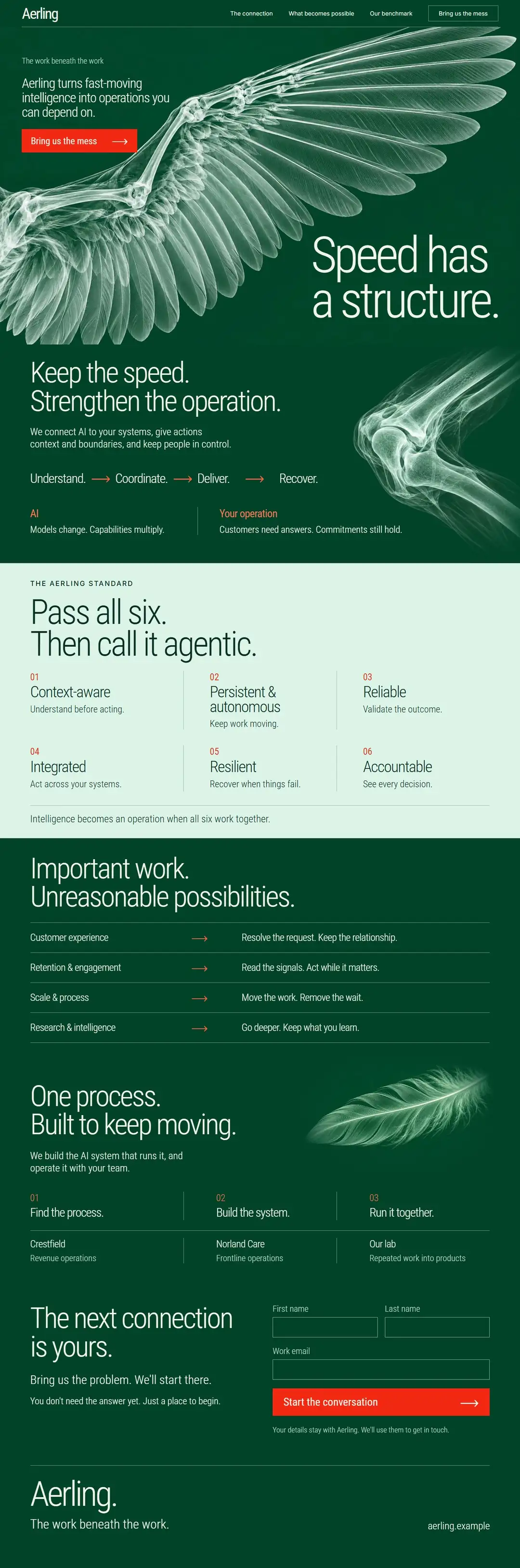
See the whole page as one image (1080 by 3254 pixels, 170 KB)
The full Structure of Flight homepage template from header to footer at 1440 pixels wide

Questions about Structure of Flight

What are the images in Structure of Flight?

Three generated radiograph-style images saved as WebP: an outstretched wing in the hero, a wing joint in the connection section and a single feather beside the process steps. They are pale mint on dark emerald, so a replacement works best if it uses the same dark background.

Can I switch it to a light background?

The page is built dark on purpose, with only the standard panel in pale mint. The colors are custom properties in the stylesheet, so you can change them, but the X-ray art is drawn for a dark field and would need new images on a light one.

Which fonts does it use?

Roboto Condensed in weights 300 and 400 carries the headlines and body copy, and Inter covers the navigation and one small label. Both load from Google Fonts.

Does the contact form send anything?

The form validates the fields and shows a thank-you message that says nothing was sent. Connect it to your own form handler, or to the HubSpot or WordPress form tools, to receive messages.

Are Crestfield and Norland Care real clients?

They are placeholders, like the Aerling name and the domain. Replace them with your own groups or clients. Free to use and adapt for personal and commercial sites.

More AI services templates like Structure of Flight

Same content, different designs. Structure of Flight is listed in AI website templates, Consulting website templates, One page website templates, Landing page templates, Homepage templates, HubSpot themes and WordPress block themes. Or browse the full gallery.

AI servicesLight8 sections

Expansion Joint

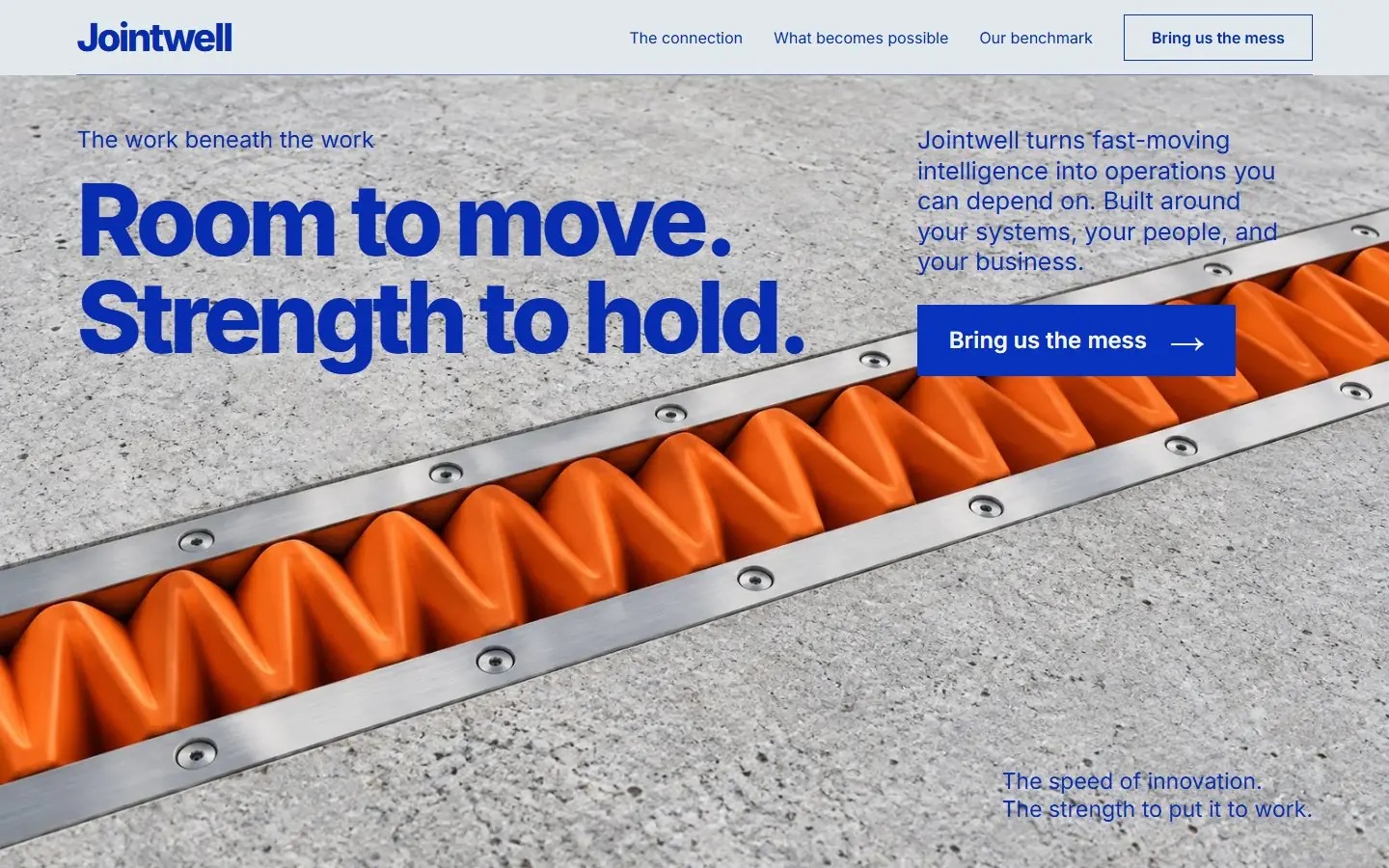
Mineral gray and ultramarine page over a macro photo of an orange expansion joint set between two concrete slabs.

  • Astro
  • HubSpot
  • WordPress
  • Framer soon

AI servicesLight8 sections

Harnessed Wind

A bright sea-glass sky page: a vermilion parafoil kite on taut lines beside a bold burgundy serif headline.

  • Astro
  • HubSpot
  • WordPress
  • Framer soon

AI servicesLight8 sections

Laminar Layer

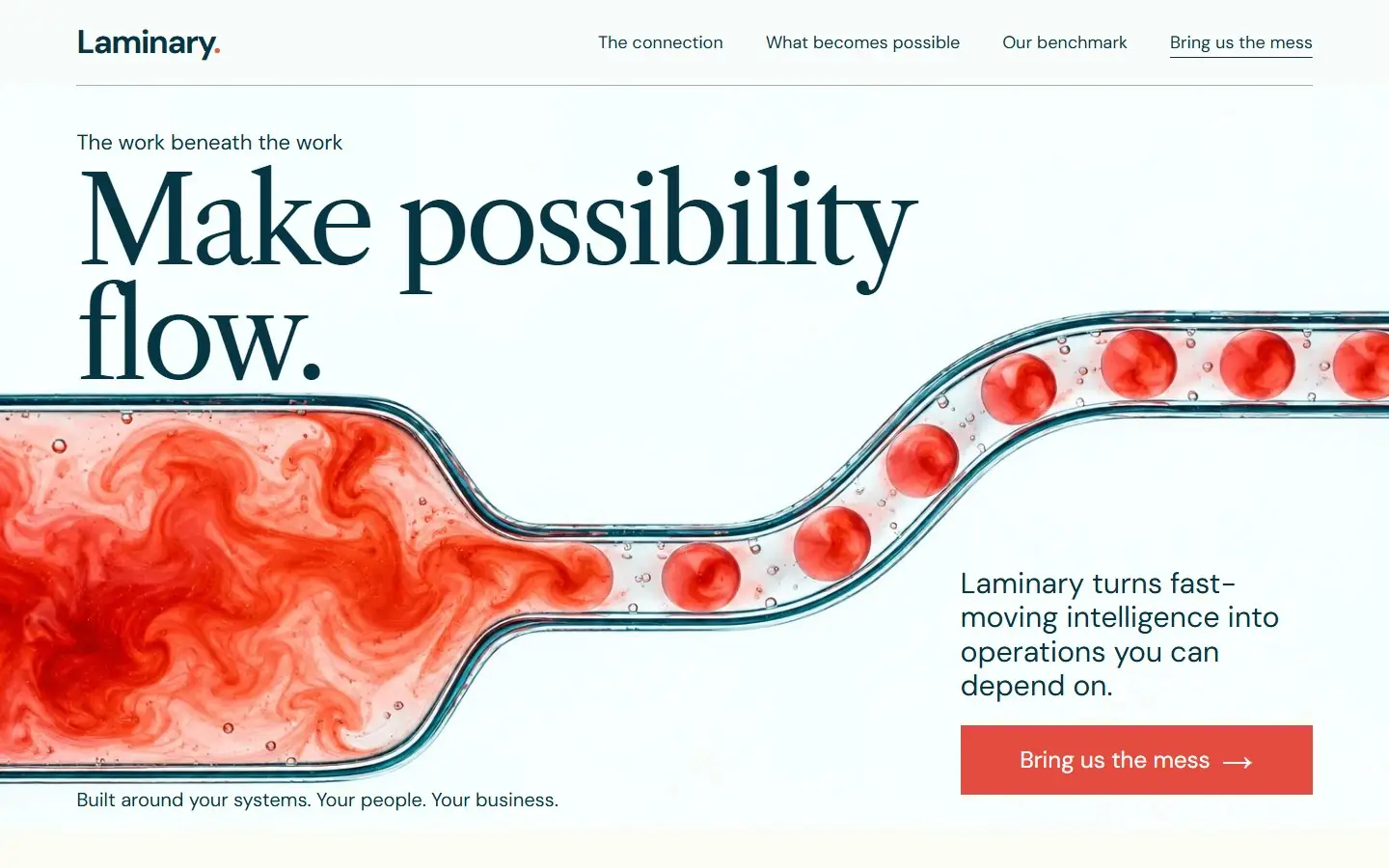
An alabaster page: coral dye resolving into droplets in a microfluidic channel, with dark teal serif and coral accents.

  • Astro
  • HubSpot
  • WordPress
  • Framer soon

Start with one process.

We learn the business and build your first go-to-market process on us this month.

Download the template

Free. Tell us who you are once and every template downloads straight away.

No newsletter unless you tick the box. Privacy policy