

























Best manufacturing website templates
The best manufacturing website templates are whole sites, not single pages. Each one here is a ready-made site for a manufacturer: a home page that says what you make and for whom, a page for fabrication, production runs, assembly and quality review, an about page and a way for a buyer to send a project and its specifications. These 10 are free, each a whole three-page site (Home, Services and About) with a live demo and downloads for Astro, HubSpot and WordPress, with no account or payment.
- Free, no account
- Home, Services and About pages
- An enquiry form for specifications on each
- Commercial use allowed

No template matches these filters. Clear them or try another word.
The 10 manufacturing website templates compared
Editable fields are the fields of the HubSpot modules and WordPress blocks, where words, links and images change without code. The sizes are the download links.
| Template | Look | Sections | Editable fields | Typefaces | Palette | Image files | Astro zip | HubSpot zip | WordPress zip |
|---|---|---|---|---|---|---|---|---|---|
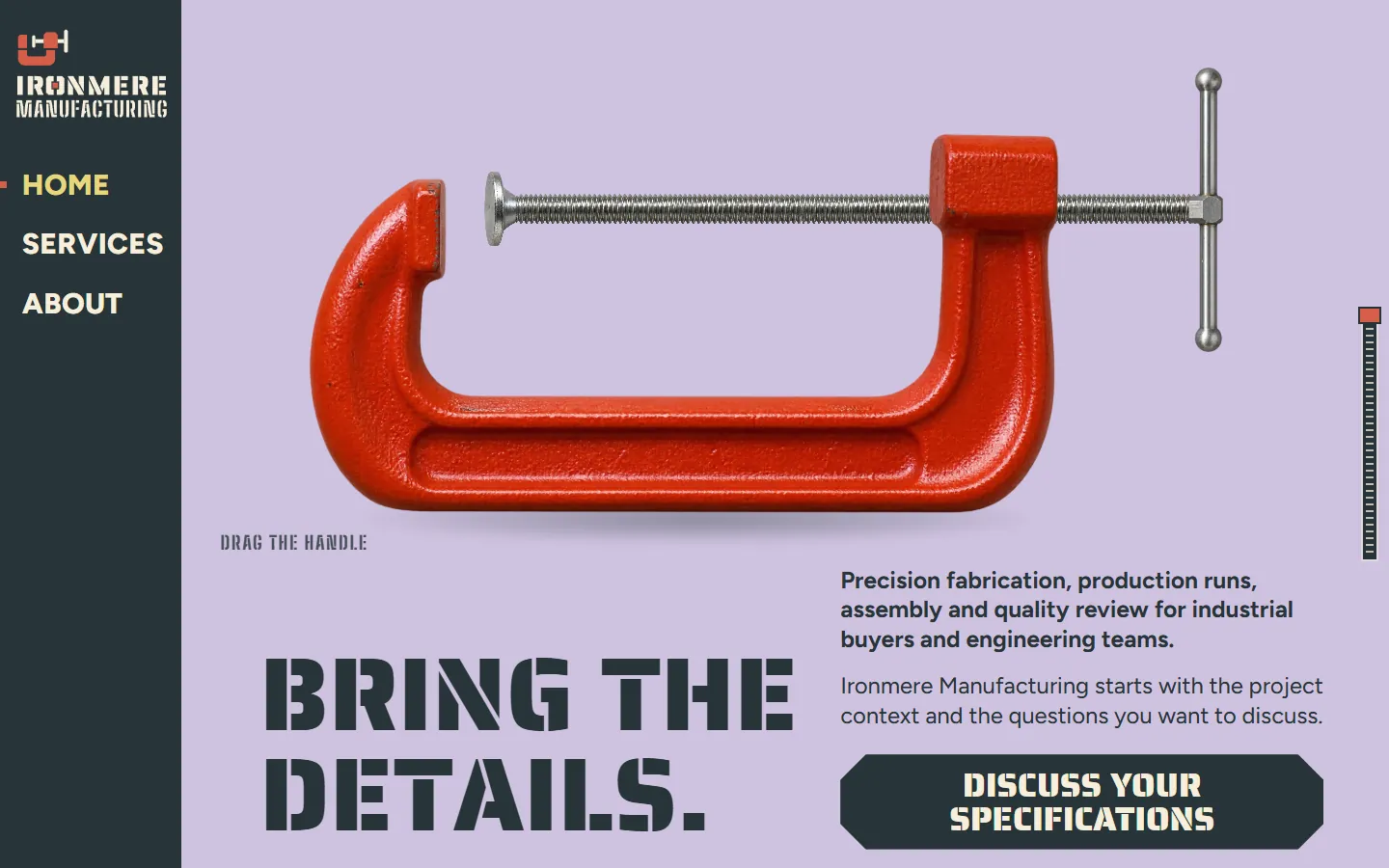
| Lilac | Dark and lightRed clamp stencil | 10 | 213 | Saira Stencil One, Big Shoulders Stencil, Figtree | 3 | 745 KB | 3.2 MB | 1.0 MB | |
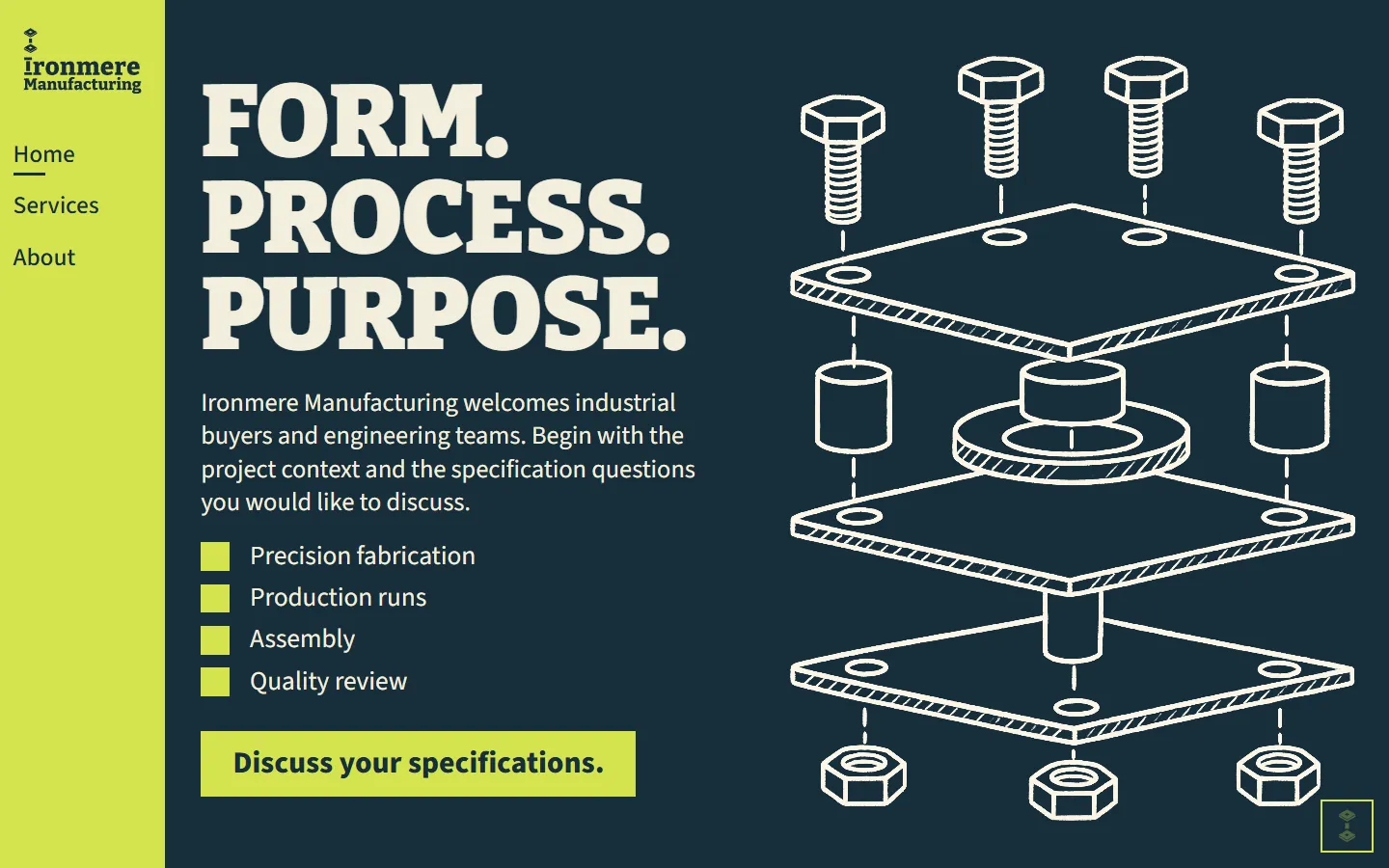
| Chalk | Dark and lightExploded line drawing | 9 | 193 | Bitter, Source Sans 3 | 3 | 1.2 MB | 2.7 MB | 1.4 MB | |
| Amber | Dark and lightAmber glass serif | 10 | 239 | Playfair Display, Figtree | 8 | 1.2 MB | 2.3 MB | 1.7 MB | |
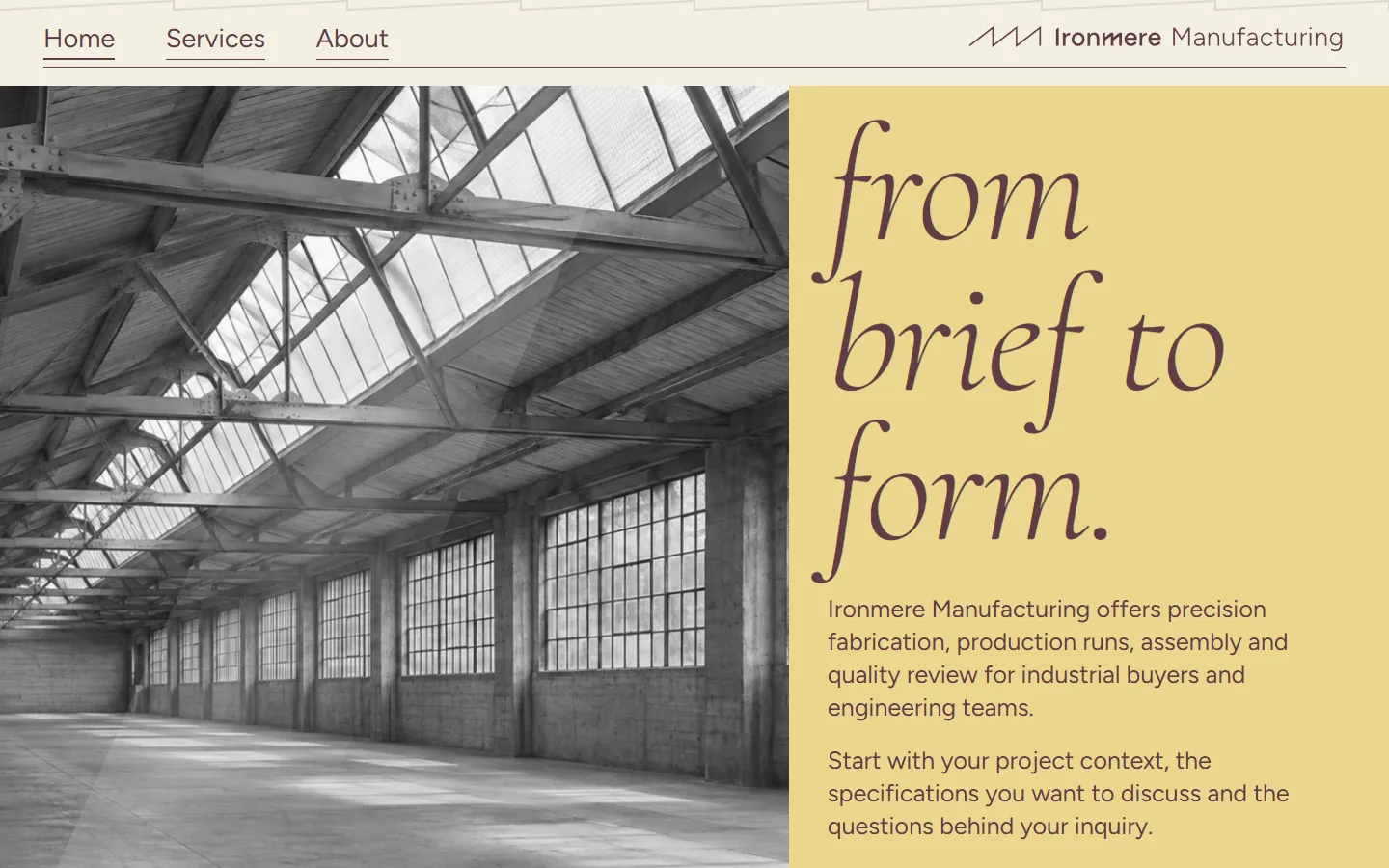
| Saffron | Dark and lightFactory hall photo | 10 | 236 | Cormorant, Figtree | 9 | 3.4 MB | 4.1 MB | 3.9 MB | |
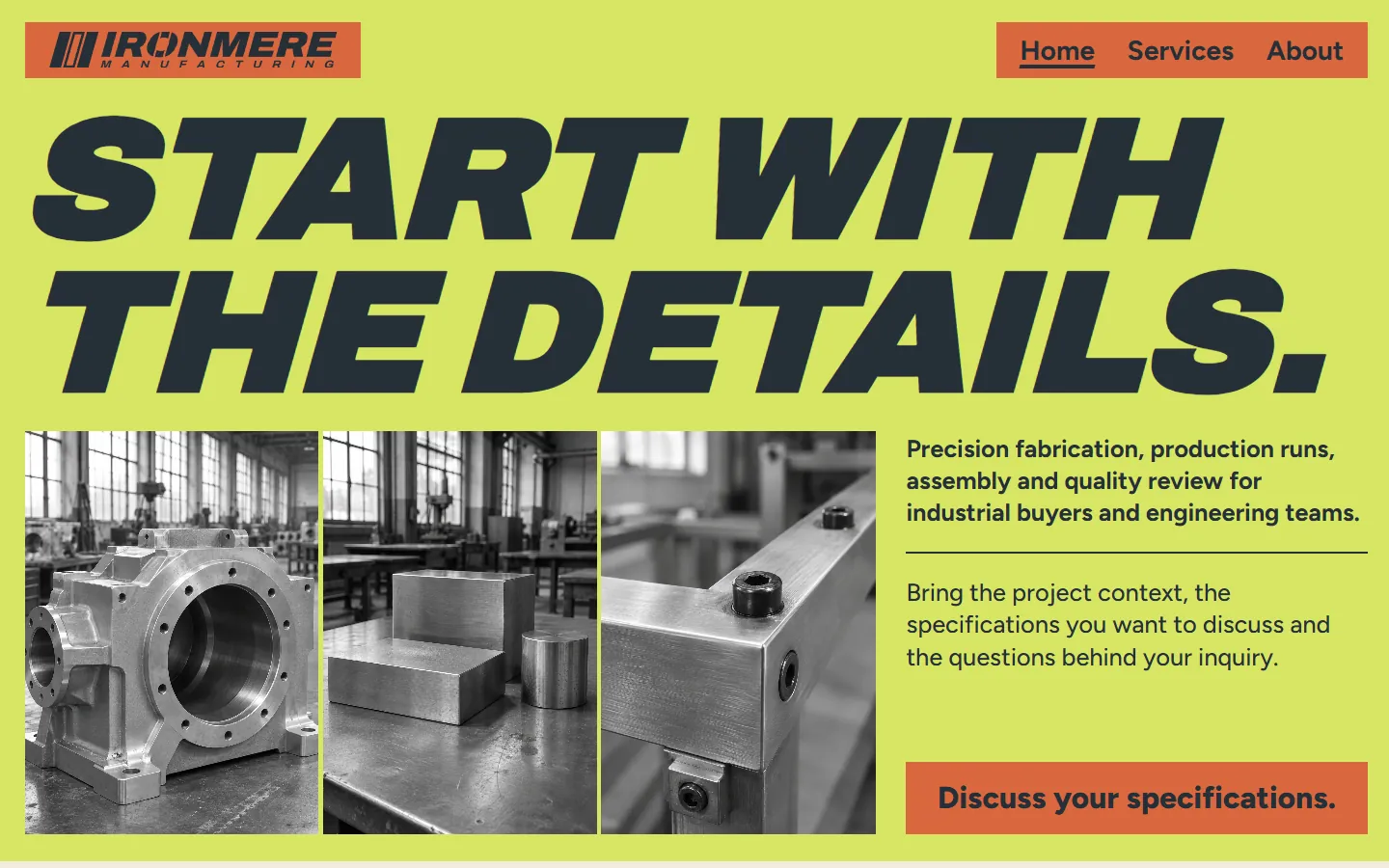
| Wasabi | Dark and lightMachined parts on lime | 10 | 279 | Archivo, Figtree | 5 | 1.2 MB | 1.6 MB | 1.3 MB | |
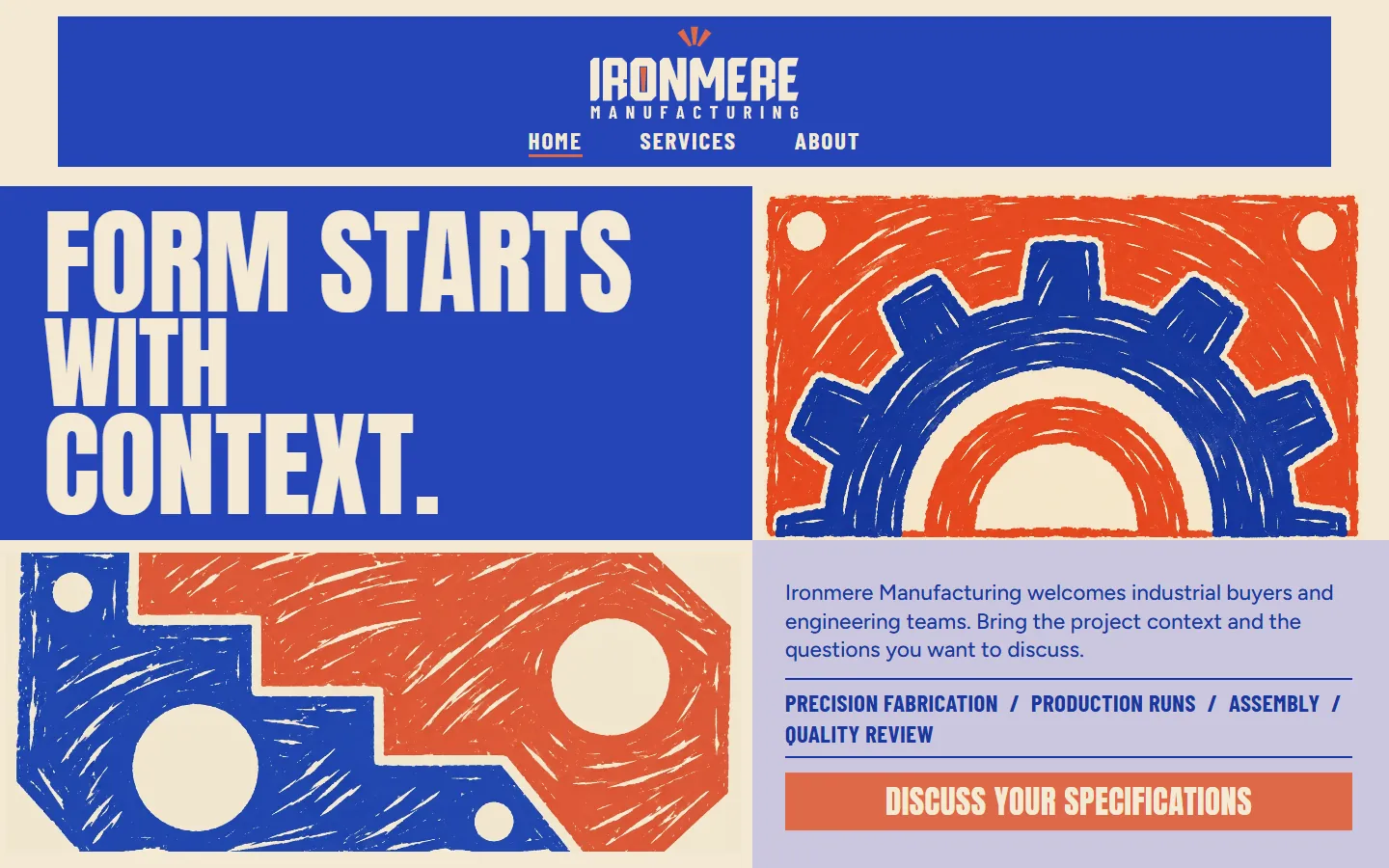
| Risograph | Dark and lightPrint-style gear | 10 | 207 | Anton, Barlow Condensed, Figtree | 4 | 1.0 MB | 1.6 MB | 1.2 MB | |
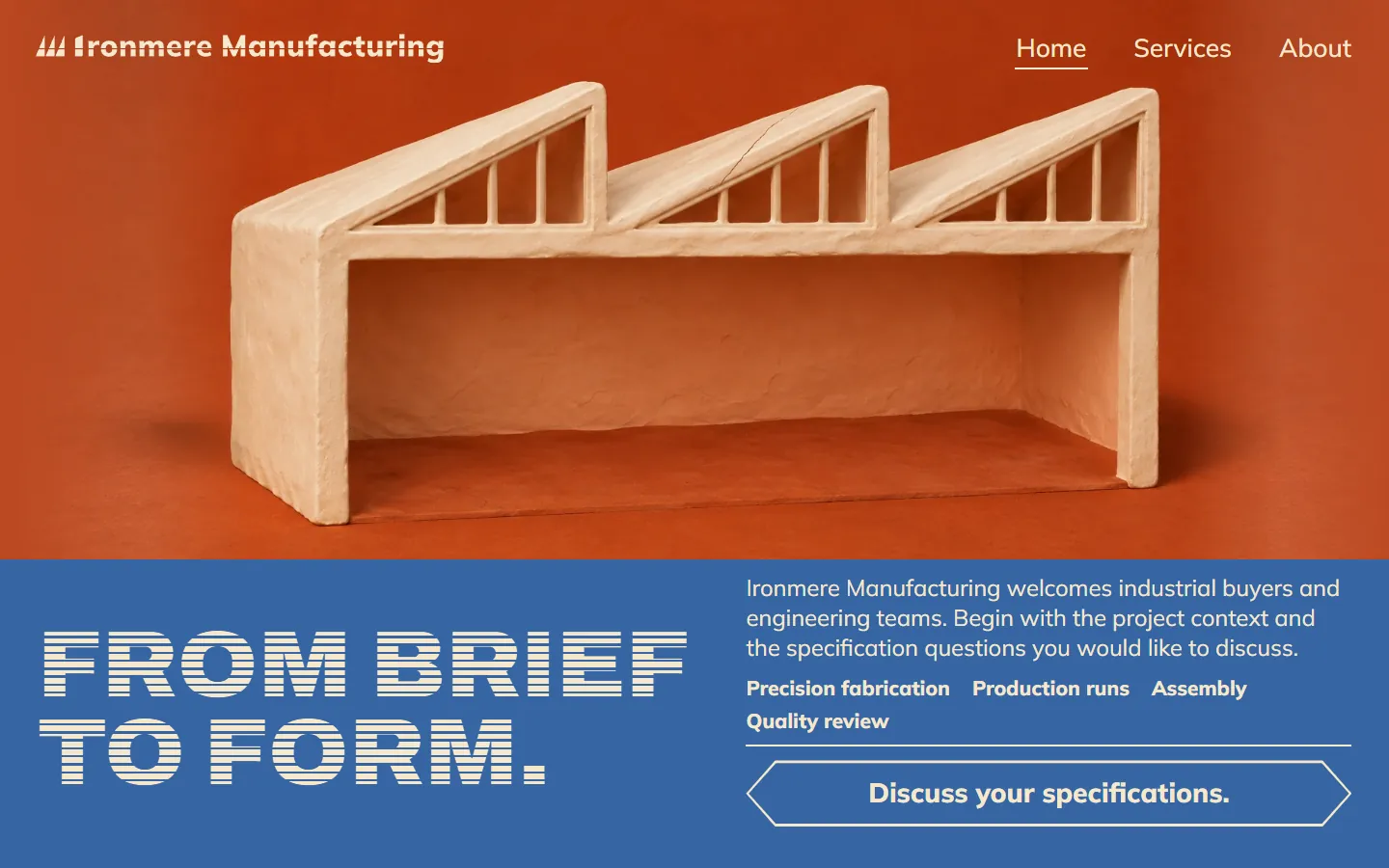
| Clay | LightClay workshop model | 10 | 215 | Archivo, Mulish | 7 | 1.6 MB | 4.4 MB | 2.2 MB | |
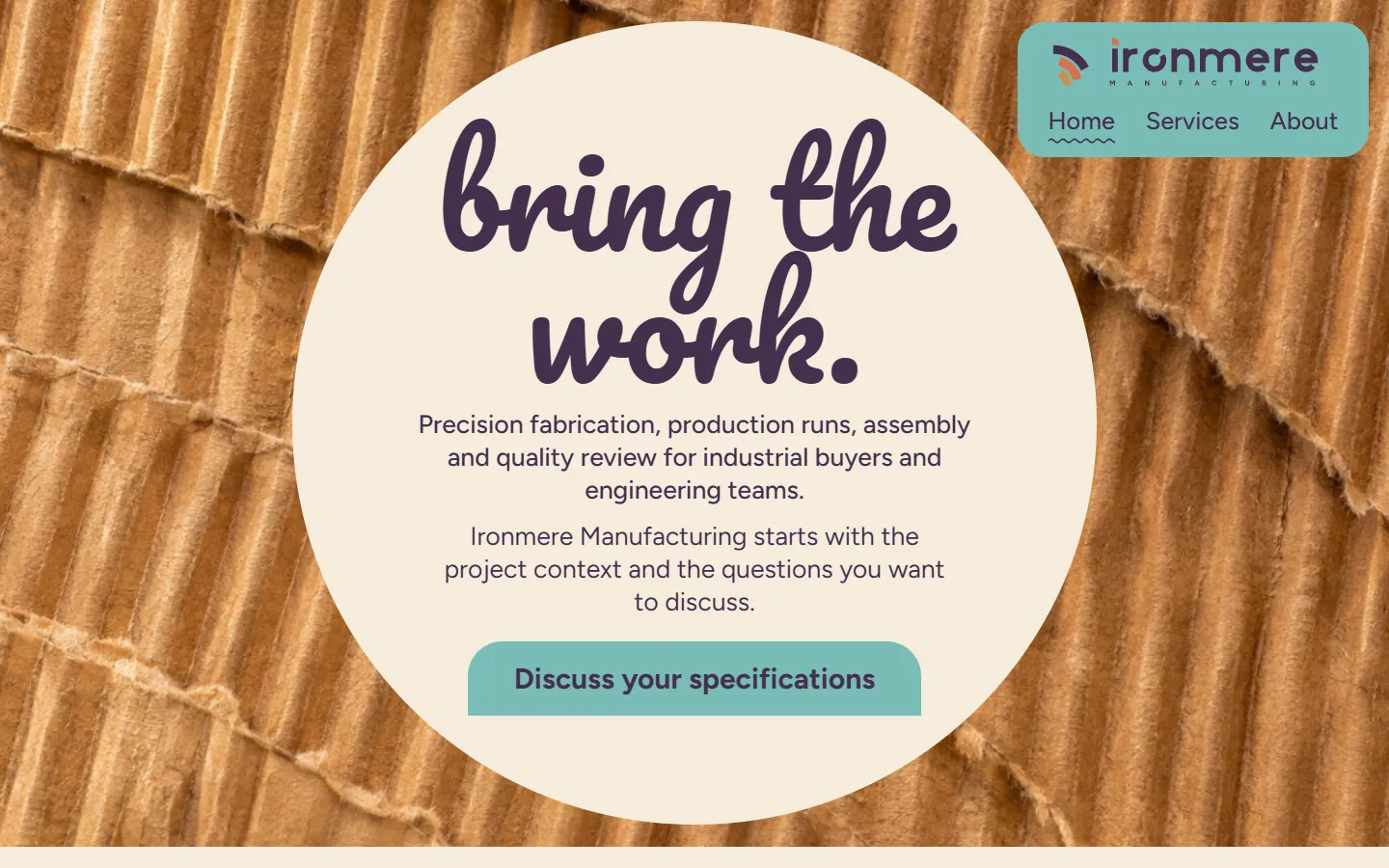
| Cardboard | Dark and lightCorrugated cardboard | 10 | 274 | Pacifico, Figtree | 9 | 4.6 MB | 18.7 MB | 5.5 MB | |
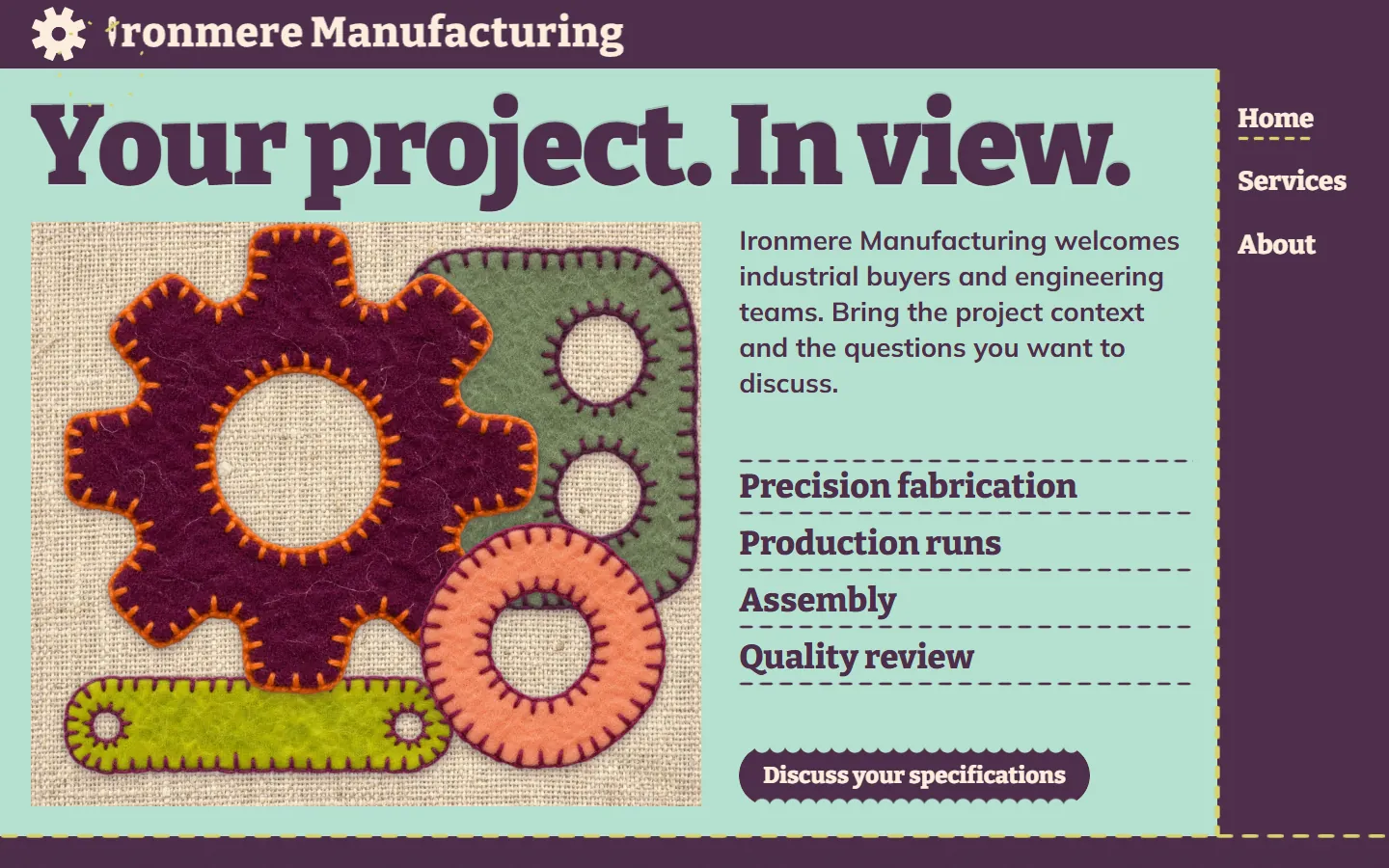
| Felt | Dark and lightStitched felt gear | 9 | 193 | Bitter, Mulish | 6 | 2.9 MB | 11.1 MB | 3.7 MB | |
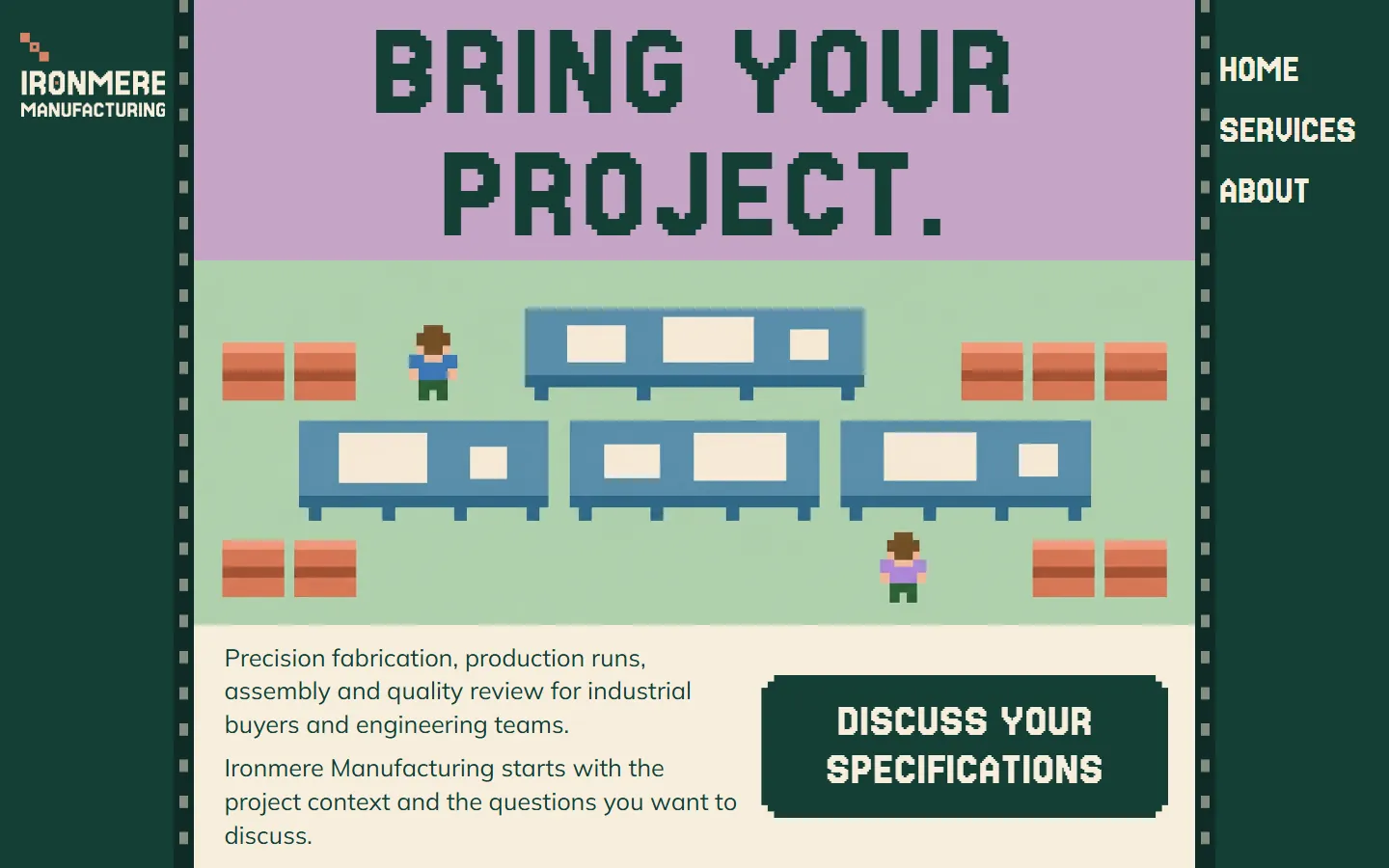
| Eightbit | Dark and lightPixel art shop floor | 11 | 263 | Jersey 15, Mulish | 11 | 384 KB | 1.1 MB | 539 KB |
How to choose a manufacturing website template
All 10 carry the same placeholder company, Ironmere Manufacturing, and the same four services, so choose by the look that suits your shop and your buyers first, then by platform.
Photos or illustration
Five designs use photos or photographic renders (a red clamp, amber glass blocks, a factory hall, machined parts, corrugated cardboard) that you can swap for your own shop floor; five use illustrations (exploded line drawings, print-style gears, a clay workshop, felt gears, pixel art) that you can keep while you collect photos.
How technical it looks
Line drawings and machined parts read as engineering: Chalk and Wasabi. Quieter serif designs (Saffron, Amber) suit a company that sells on craft and service. Handmade looks (Felt, Clay) make a small manufacturer easy to remember.
Who reads it
Every design speaks to industrial buyers and engineering teams in one section. If your buyers are procurement teams in large companies, start with a plainer design; if your site also has to recruit, a friendlier one helps.
Who will edit it
WordPress if you or someone in sales will change the words, HubSpot if your leads and CRM already live there, Astro if a developer hosts static files.
LilacA fabrication or welding shop that wants a direct, tool-led look. ChalkA precision engineering or machining company whose buyers read drawings. AmberA custom fabricator or small-batch maker that sells on finish and detail. SaffronA contract manufacturer with a facility worth showing. WasabiA CNC machine shop or job shop with good photos of finished parts. RisographAn industrial supplier or distributor that wants to stand out in its category. ClayA small manufacturer or workshop that wants a friendly, handmade look. CardboardA packaging, paper or corrugated board manufacturer. FeltA family-owned manufacturer that wants a warm, approachable site. EightbitA hardware startup or young manufacturer that wants a site people remember. What a manufacturing website needs, and where it is in these templates
The checklist the ranking manufacturing template pages give, mapped to the pages and sections every template here already has, and the parts you add yourself.
| A manufacturing site needs | Where it is | What to do there |
|---|---|---|
| Your capabilities, one by one | Services page | Precision fabrication, production runs, assembly and quality review each have their own section, linked from the home page. Rename them to your processes, such as CNC machining, sheet metal, molding or finishing. |
| A way to send a project | Enquiry form on the home page | Name, work email, company, the area of interest and a short outline of the project. Connect it to your inbox, CRM or HubSpot form before you publish. |
| Who the site is for | A section for industrial buyers and engineering teams | Every design speaks to both. Rewrite it for the people who actually send you work: purchasing, engineering or operations. |
| What happens after an enquiry | Three steps or a short list on the home page | Choose an area, share the project, talk about next steps. Rewrite them to match how your quoting works. |
| Answers before the first call | Questions section | Short answers on who can get in touch and what to share first. Add your own on minimum order sizes or how you handle drawings. |
| Use on a phone | Phone menu and a fixed button | Every design has a phone menu and keeps a "Discuss your specifications" button at the bottom of the screen. |
| Certifications, equipment, industries served, case studies, drawing upload, phone number | Not included | Add your certifications, a machine or equipment list, the industries you serve, project stories, a file upload for drawings and a phone number. The placeholder copy leaves them out on purpose. |
Ten designs for the same manufacturer
These ten show one company, Ironmere Manufacturing, in ten designs: a red clamp on lilac, exploded line drawings on navy and lime, amber glass blocks on burgundy, a factory hall in black and white, machined parts on lime, print-style gears in blue and vermilion, a clay workshop, corrugated cardboard, felt gears and a pixel art shop floor.
The words, pages and sections stay close to each other, so you are comparing design, not content. Open two live demos side by side, then pick the one your buyers would trust with a drawing.
- Every live demo has all three pages: use the Home, Services and About links in its header.
- The preview on this page shows each design at desktop and at a real phone width.
Written for business buyers
The copy is written for a manufacturer talking to industrial buyers and engineering teams about a project. It suits a contract manufacturer, a job shop, a fabricator or a small manufacturer that sells to other businesses.
More than a website
A template gives you the site. If you want technical pages, trade show follow-up and distributor outreach run for you each month, see Growigami's manufacturing marketing for technical buyers.
What to replace before you publish
Everything about Ironmere Manufacturing is placeholder. These are the parts to change first.
Name and logo
The wordmark sits in the header, phone menu and footer of each page. Replace it on all three pages.
Images
Swap the images for photos of your own shop floor, machines and parts. Keep the file names, or update the image tags with the new width, height and alt text.
The form
Point the enquiry form at your email, CRM or HubSpot form, add a file field if buyers send drawings, then send a test enquiry.
Proof and details
Add certifications, equipment, industries served, project stories and a phone number. Buyers look for them before they send a drawing.
Astro, HubSpot or WordPress
Every template here comes in all three versions, built from the same page, so the design and copy match on each platform. See the HubSpot themes and the WordPress block themes for the install steps.
Astro · 384 KB to 4.6 MB
An Astro project: one page file each for Home, Services and About, one component per section, the CSS, scripts, fonts and images in public/.
Needs Node 22.12 or newer.
HubSpot · 1.1 MB to 18.7 MB
A HubSpot CMS theme: Home, Services and About templates plus a Page template, one module per section, each with its own fields.
Needs a free HubSpot account and Node.js 20 or newer for the HubSpot CLI.
WordPress · 539 KB to 5.5 MB
A WordPress block theme: Home, Services and About with one block per section, plus page, post, blog and 404 templates.
Needs WordPress 6.6 or newer and PHP 7.4 or newer.
Questions about manufacturing website templates
What should a manufacturing website include?
A clear line on what you make and for whom, a section for each capability, a way to send a project and its specifications, what happens after an enquiry, an about page, and proof such as certifications, equipment and project stories. These templates have the first five; add the proof yourself.
Are these manufacturing website templates free?
Yes. Free to use and adapt for personal and commercial sites. Each download asks for your first name and work email once, with no account or payment.
How many pages does each manufacturing template have?
Three: Home, Services and About. The Services page has a section for precision fabrication, production runs, assembly and quality review. In WordPress the theme creates the Services and About pages when you activate it.
Can buyers upload drawings through the form?
Not as shipped. The forms ask for a short project outline. If buyers send drawings or files, add a file field to the form, or connect it to a form service or HubSpot form that accepts uploads.
Do the enquiry forms send messages?
No. They check the fields in the browser and confirm on the page, and they send nothing. Connect them to your form service, CRM or a HubSpot form before you publish.
Which version should a manufacturer pick?
WordPress if you or your sales team will edit the site, since each section is a block with its own fields. HubSpot if your contacts and forms already live there. Astro if a developer will host it as static files.
Is Ironmere Manufacturing real?
No. Ironmere Manufacturing, its people and its details are placeholders to replace with your own company, images and copy.
More free template collections
 30 templates
AI website templates
 4 templates
SaaS templates
 4 templates
Real estate website templates
 10 templates
Roofing website templates
 10 templates
HVAC website templates
 10 templates
Plumber website templates
 10 templates
Fintech website templates
 10 templates
Dental website templates
 10 templates
Electrician website templates
 10 templates
Contractor website templates
 10 templates
Insurance agent website templates
 10 templates
Financial advisor website templates
 10 templates
Accountant website templates
 10 templates
Chiropractor website templates
 10 templates
Pest control website templates
 10 templates
Auto dealer website templates
38 templates Homepage templates
34 templates Landing page templates
 10 templates
Consulting website templates
13 templates Agency website templates
10 templates Business homepage templates
 8 templates
One page website templates
4 templates Minimalist website templates
13 templates Tech website templates
38 templates HubSpot themes
38 templates WordPress block themes
Want the whole site built around your buyers instead? Growigami's website service builds the home, about, product, blog, resources and contact pages and moves your old content over.
All website templates
Start with one process.
We learn the business and build your first go-to-market process on us this month.
Template
growigami.com